
Slides for nightclubs, shows and gobo spot projectors
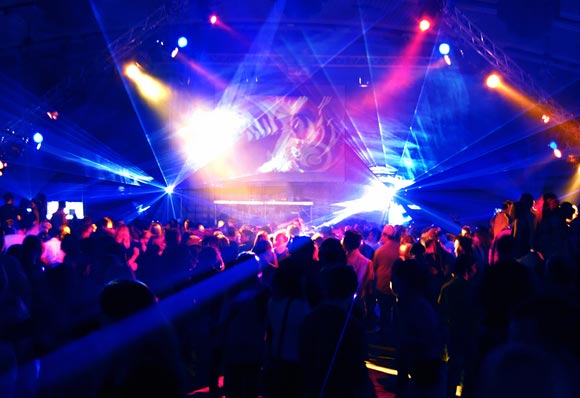
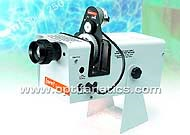 If you are using regular carousel type projectors (or similar) then all you need to do is load up the magazine with slides. If you are using something like an Optikinetics Solar or GoboShow then you will find a specification of ’50mm slide’. This is just a regular 35mm slide! You may have a glass mounted slide specified but these haven’t been available for a few years now but plastic mounted slides work just fine. Otherwise, if you are using LED gobo projectors, you will probably be ordering unmounted slides and cutting the film to your own projector specifications.
Preparing digital files for gobo slides
Design
Most images used for this application will be logos – the idea being to ‘float ‘ the logo across wall, floors or screens. This requires a different way of working to normal print media.
35mm slides have a dimension ratio of 3:2 – we output slides at 4096×2732 pixels (exactly that and always that) so if you are creating artwork in Photoshop then this is the resolution you need to use for best quality – dpi or ppi are irrelevant, it is pixels that count!
Start with a black background and work in RGB – converting from CMYK will turn black to very dark grey. The logo can be placed on this background – should the logo have black elements and merge with the background then you will either have to use a ‘reversed out’ logo or use some other device such as outlining in white or use something like a glow. Ideally, for all situations, a logo in white only on a black background always works. In this way, a design, logo or text will just float on the wall/floor/screen, without a distracting white rectangle of light. See below for illustrations of the principles.
Maximise the logo size to pretty much the edge of the artwork – there is no need to leave space, it will just make your projected image smaller.
By the way, there is no limitation to the number of colours you use – from a plain black and white image to a full colour rainbow, makes no difference to the cost or speed of production (but do bear in mind that simple white on black designs will work in all situations).
Incidentally, Illustrator, EPS and PDF files are fine too.
Compression
If you are sending your images on CD then by all means save as TIFF or PSD. If you are sending images over the wires then please use JPEG (even if you are using FTP and Broadband there is no point hogging valuable bandwidth, and anyway life is too short). A 4096×2732 pixel image is about 32Mb – save as JPEG using ‘maximum’ or ‘high’ quality settings (8-10) that will result in files a tenth of the size or less and give NO visible compression artefacts on your final slides. Remember that you are sharing bandwidth with your neighbours – be considerate!
Longevity
Spot projectors may have incredibly powerful halogen lamps. All this light is focussed on the small 36mm x 24mm slide before being projected onto a wall. This means there is a lot of heat too. If your projector has poor forced ventilation then the slides will burn and over a few hours the light will fade the dyes in the slide. Luckily, most applications of logo projection are short-lived so this shouldn’t matter but it may well be prudent to order a couple of slides just in case of disaster. The use of 35mm photographic slides in gobo projectors is meant to be a practical, speedy and cost-effective short term solution. A full colour slide will cost just £3.00. If you want something with a long life span then you need a special dichroic glass slide that will cost you something like £250 or more per gobo. Looked at this way even a pile of 35mm slides ready to be chucked away after a couple of days use is still very cost effective.
We would recommend LED projectors these days anyway, as they have much reduced heat output and are kinder to photographic film.
Colour management
If your head spins at the concept of colour management don’t want to worry, your images are going to look fine so skip to the next paragraph.
If you DO use colour management, that is great too. We accept files with any embedded profile. Remember that colour profiles are used to adjust colour throughout the workflow, from image creation to final output with the aim of producing consistent, expected and repeatable colour regardless of the device used relative to the potential of the final output media. In other words what you see on screen is what you should get on film, within the limitations of the media. However, do not use CMYK in your workflow at all or else you will have to be shot – this is only appropriate for litho print and will seriously degrade the quality of your images.
Simple solution – most digital cameras and inkjet printers are calibrated to sRGB – make sure you screen is too and Bobs your Uncle – simple, foolproof colour management.
Summary
Use a black background to the artwork
Work in RGB
Work close to the edges, make full use of the working area
We output at 4096×2732 pixels – dpi or ppi are irrelevant, it is pixels that count!
35mm slides have a dimension ratio of 3:2
Save as high quality (level 10) JPEG
Ask first – if you are not sure send a quick email and we will advise
More information on how to prepare files for gobos and a bit of insight on why things don’t work as expected!